 Sudoku
Daily 9×9 logic puzzle
Sudoku
A classic 9×9 logic puzzle for every commute, lunch break, and late night.
100% Offline
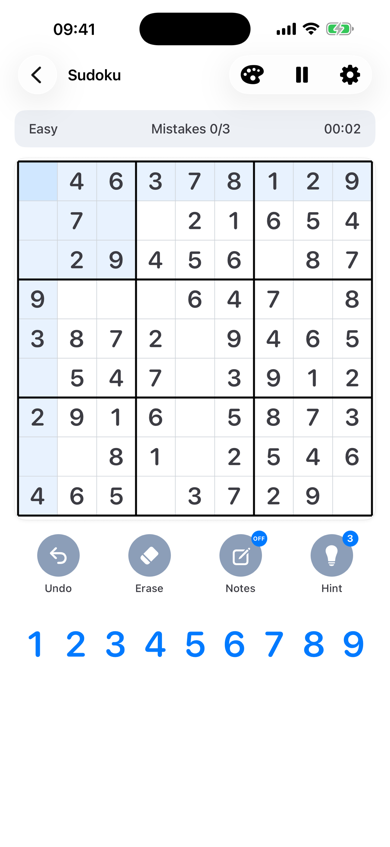
Key Features
A calm Sudoku app for iPhone and iPad: no interruptions, no network required, and a fresh puzzle whenever you want one.
-
No In-Game Ads
Pure focus without intrusive interstitial video ads. Stay with the board from the first digit to the last.
-
100% Offline Mode
Play anywhere during flights, commutes, or zero-connectivity spots. Puzzles stay on your device.
-
Smart Hints & Undo
Helpful logical steps without spoiling the answer. Undo a move, mark notes, and keep going.
-
Daily Challenges & Streaks
One new puzzle each day. Finish today’s board and keep your completion streak. The first week is beginner-friendly.
-
Sudoku Academy
Basic lessons are free and walk through the rules on the board. Intermediate and advanced technique lessons are part of Sudoku Premium.
- No ads during play
- Offline
How to Play Sudoku
Sudoku is a classic 9×9 logic puzzle. Fill the board so each row, column, and 3×3 box contains the digits 1–9 once. Play has no ads during a game, puzzles stay on your device, and you can play fully offline.
-
Rows, columns, and boxes
Place digits 1–9 so no digit repeats in any row, column, or 3×3 box. Given clues cannot be changed.
-
Four levels, one daily puzzle
Choose Easy, Medium, Hard, or Expert. Daily Challenge gives you one new puzzle each day and keeps your completion streak. The first week is beginner-friendly.
-
One logical path
Every standard puzzle has one solution. Use notes, matching-number highlights, optional error checks, undo, and a timer when you want them.
Sudoku Tips & Solving Techniques
Learning how to solve hard Sudoku starts with three reliable scans. Naked singles clear easy boards. Hidden singles and elimination carry you through Medium, Hard, and Expert.
-
Naked Single
Look at an empty cell and cross off every digit already used in its row, column, and 3×3 box. If only one digit remains, that cell is a naked single — place it. Repeat after every placement, because one filled cell often creates the next.
-
Hidden Single
Pick a digit that is still missing from a row, column, or box. If only one empty cell in that unit can legally hold it, the digit is a hidden single even when the cell still has other candidates. Place it, then update the rest of the board. This is the technique that unlocks most “stuck” easy and medium puzzles.
-
Elimination Strategy
Pencil in every legal candidate, then remove digits that already appear in the same row, column, or box. On harder puzzles, watch for pairs: when two cells in a unit can only be the same two digits, those digits are eliminated from every other cell in that unit. Patient elimination is how to solve hard Sudoku without guessing.
Support & FAQ
Need help with Sudoku? These answers cover difficulty, hints, and how to report a bug.
How do I choose a difficulty?
Pick Easy, Medium, Hard, or Expert. Daily Challenge starts gentler for the first 7 days after install so new players can settle in.
How do hints work?
Free players get 3 hints per day (as shown in the app). Sudoku Premium unlocks unlimited hints, extra board themes, and intermediate and advanced Sudoku Academy lessons. Basic Academy lessons stay free.
How do I report a bug?
Email orangepie2019@gmail.com with your iOS version, device, and what happened. Screenshots help. We read support mail and will get back as soon as we can.